
Stop data decay this week with three moves: freeze unvalidated bulk imports on active pipeline records, run a targeted dedupe on open opportunities and their associated contacts, then enforce required fields at every stage advance gate. Those three actions alone will stabilize your most business-critical data before you touch anything else.
Immediate 3-step action plan (assign this week):
- Freeze risky writes. Have your CRM admin disable or sandbox any integration that writes to contact or account records without a field-mapping audit. Expected outcome in 7 days: no new silent overwrites on active pipeline.
- Dedupe active pipeline. Run a deduplication pass scoped to open opportunities and their linked contacts only. Use match-confidence scoring; auto-merge above a high-confidence threshold and queue mid-confidence pairs for a rep to review. Expected outcome: cleaner pipeline view for your next forecast call.
- Enforce required fields at stage advance. Add validation rules that block a stage advance unless close date, next step, and primary contact are populated. Expected outcome: reps fill the fields in context, not retroactively.
What not to do right now:
- Don't enrich records before deduping. Enriching duplicates obscures the matching signals you need to merge them correctly, as Layer3 Labs explains.
- Don't mass-delete records without survivorship rules. Decide which record "wins" before any merge or delete, or you will lose activity history.
- Don't run a full historical cleanup before fixing upstream workflows. The data will drift back to poor quality within roughly 90 days if the ingestion problems are still live, according to ZoomInfo's pipeline operations research.
Table of Contents
- What is CRM data hygiene, and how does it differ from cleansing and enrichment?
- Why does CRM data hygiene matter for sales, marketing, and forecasting?
- What are the most common CRM data quality problems to look for?
- How poor CRM hygiene specifically hurts your sales and marketing operations
- What are the best practices for maintaining CRM data hygiene?
- What does a practical weekly-to-annual CRM hygiene cadence look like?
- What should you look for when evaluating CRM hygiene tools?
- How do you run a CRM data audit step by step?
- Which KPIs should you track to measure CRM data quality?
- A pragmatic 90-day implementation checklist
- Key Takeaways
- The gap between "clean enough" and actually trustworthy
- When external help accelerates your hygiene program
- Further reading and useful sources
What is CRM data hygiene, and how does it differ from cleansing and enrichment?
CRM data hygiene is the continuous practice of keeping every record in your customer relationship management system accurate, complete, unique, consistent, and current. It covers contacts, accounts, opportunities, activities, and custom fields. The word "continuous" is doing real work in that definition. Hygiene is not a project with a start and end date. It is an operational discipline that runs in the background every week, every month, every quarter.
Three terms get conflated constantly, and the confusion causes teams to invest in the wrong thing at the wrong time.
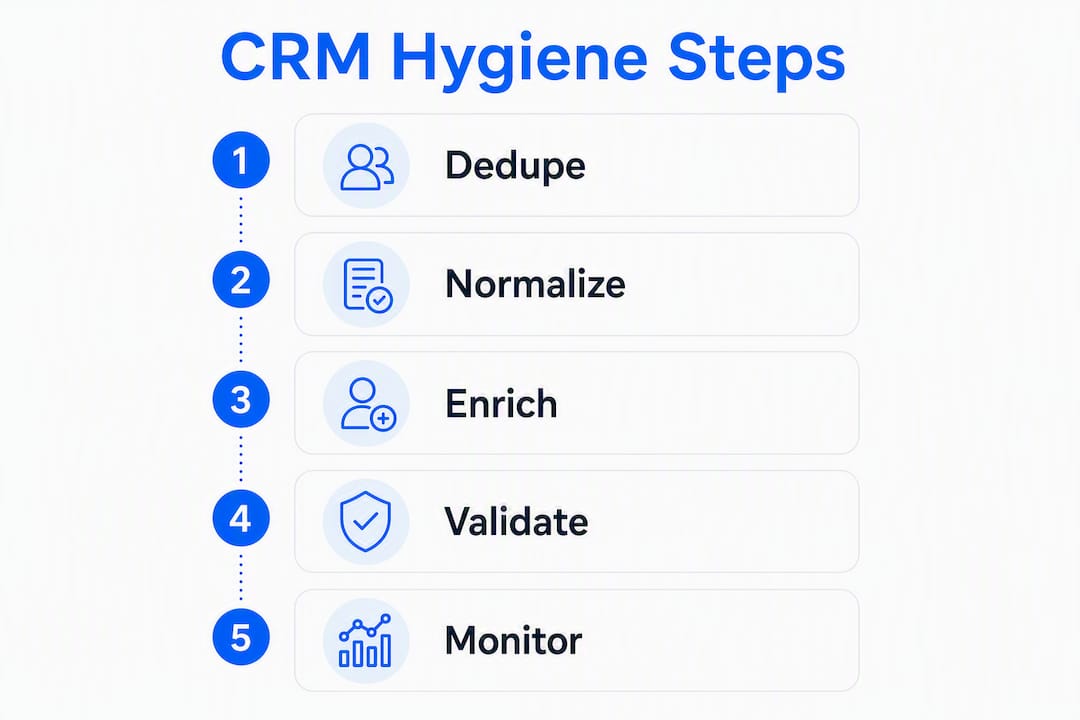
Cleansing is reactive and one-time. You run it when the data is visibly broken: a bad import, a migration, a merger. It fixes what is already wrong.
Enrichment is additive. A third-party provider appends missing phone numbers, firmographic data, or technographic signals to existing records. It makes records more complete, but it does nothing to fix duplicates or inconsistencies already in the system.
Hygiene is the ongoing maintenance layer that preserves the value of both. ZoomInfo's RevOps research puts it plainly: hygiene is what prevents you from needing another full cleanse six months from now.
The order of operations matters more than most teams realize:
Deduplicate first, then normalize field values, then enrich. If you enrich before deduping, you add new data to records that may be merged away, and you make the matching signals harder to read. Clean the structure before you add to it.
A practical example: your CRM has two contact records for the same person at the same company, one created by a rep and one written back by a marketing automation integration. If you enrich both records with a data provider before merging, you now have two enriched duplicates with slightly different field values, and your dedupe tool has a harder time deciding which record survives. Dedupe first. Then enrich the merged winner.
Why does CRM data hygiene matter for sales, marketing, and forecasting?
B2B contact data decays significantly every year. People change jobs, get promoted, move companies, and update their contact information constantly. A database you built two years ago has experienced approximately 22–34% annual data decay, meaning its current accuracy rate is substantially reduced. That decay rate is not a minor inconvenience. It is a structural tax on every revenue motion your team runs.
Data point: Harvard Business Review research found that only 3% of companies' data meets basic quality standards. The downstream cost is not just operational friction. It is strategic decisions made on a foundation that does not hold.
The downstream failures are specific and expensive:
Forecasting. When close dates are missing, stage definitions are inconsistent, or duplicate opportunities inflate pipeline, your forecast is fiction. Sales leaders make hiring, quota, and resource decisions on that fiction.
Segmentation. Marketing operations builds audiences from CRM fields. If industry, company size, or persona fields are inconsistently populated or outdated, segments bleed into each other. You send enterprise messaging to SMB contacts and vice versa.
Lead routing. Routing rules depend on territory, account ownership, and company attributes. Dirty records send leads to the wrong rep, or to no rep at all when a required field is blank.
Sender reputation. High bounce rates from stale email addresses damage your domain's deliverability score. Once your domain lands on a blocklist, recovery takes weeks and affects every campaign you run.
AI and automation accuracy. AI-driven forecasting tools, sales engagement platforms, and signal-based outreach all depend on clean, structured data as inputs. Garbage in, garbage out is not a cliché here. It is a literal description of what happens when an AI model trains on or scores records that are incomplete or duplicated.
One particularly dangerous failure mode: Scratchpad's RevOps commentary makes the point that clean-looking but inaccurate data is more dangerous than obviously dirty data. A record with all fields populated but a job title that is 18 months out of date looks trustworthy. Reps act on it. The outreach goes to someone who left the company. The rep loses credibility, the deal stalls, and nobody flags the data problem because the record looked fine.
What are the most common CRM data quality problems to look for?
Most CRM data problems fall into five categories. Each one has a measurable symptom you can find in your dashboards today.
-
Duplicate records. Two or more records representing the same contact, account, or opportunity. Symptom: the same company appears twice in account reports with different owners, or a contact receives the same email twice in the same campaign. Root cause: manual entry by different reps, integration write-backs that don't check for existing records, and list imports without deduplication.
-
Incomplete records. Required fields are blank: no phone number, no close date, no industry classification. Symptom: filter-based reports return fewer records than expected, or routing rules skip records because a required field is null. Root cause: reps create records quickly and fill in details later, then never return.
-
Inconsistent field values. The same concept is stored differently across records: "VP Sales," "VP of Sales," "Vice President, Sales" all in the same picklist field. Symptom: segmentation reports show dozens of micro-segments that should be one. Root cause: free-text fields where picklists should be, or picklist values that were never normalized after a migration.
-
Stale and outdated records. Contacts with job titles or companies that no longer match reality, accounts with no activity in 18+ months, opportunities sitting in early stages with close dates from last year. Symptom: outreach bounce rates climb, and pipeline reports show deals that have been "closing next quarter" for three quarters. Root cause: no re-verification cadence and no automated decay flagging.
-
Siloed and orphaned data. Contacts not linked to accounts, activities not associated with opportunities, or records that exist in a connected tool (marketing automation, support platform) but never synced to the CRM. Symptom: account-level reporting misses activity history, and reps have no context when they open a record. Root cause: integration field mapping gaps, missing parent-child relationship rules, and activity capture not configured as native CRM records.
How poor CRM hygiene specifically hurts your sales and marketing operations
The abstract cost of bad data becomes concrete fast when you trace it through a single revenue motion.

A renewal team runs a report of accounts due for renewal in the next 90 days. Three of the ten accounts on the list have the wrong primary contact because the champion left and nobody updated the record. Two accounts have duplicate opportunity records, so the renewal value appears doubled in the forecast. One account has no activity logged in over six months because the rep was using a personal email thread instead of the CRM. The team sends renewal outreach to the wrong people, the forecast overstates ARR by a material amount, and the sales manager has no visibility into which accounts are actually at risk.
That is not a hypothetical. It is a pattern that plays out in most B2B sales organizations with CRMs older than two years.
The operational costs stack up:
- Rep time. Reps spend time reconciling duplicate records, hunting for the right contact, and manually correcting data that should have been captured automatically. Every hour spent on data cleanup is an hour not spent on pipeline.
- Conversion rates. Outreach sent to stale contacts bounces or goes to the wrong person. Personalization built on bad firmographic data misses the mark. Both reduce reply rates and conversion.
- Forecast accuracy. Duplicate opportunities inflate pipeline. Missing close dates make stage-weighted forecasts unreliable. Leaders discount the CRM and rely on gut feel, which is worse.
- Sender reputation. Repeated bounces from dead email addresses degrade your domain's deliverability. A domain with poor sender reputation affects every email your company sends, including transactional messages.
The cultural cost is harder to measure but just as damaging. When reps stop trusting the CRM, they stop updating it. When managers stop trusting reports, they build shadow spreadsheets. The CRM becomes a system of record in name only, and the organization loses the single source of truth it needs to run a predictable revenue operation.
What are the best practices for maintaining CRM data hygiene?
The goal is to prevent problems at the point of entry, catch what slips through on a regular cadence, and automate as much of the maintenance as possible. Here is the operational checklist:
- Write a data standards document. Define what every field means, what format it uses, and who owns it. "Company Name" should follow a single format. "Industry" should use a fixed picklist. Without a written standard, every rep makes their own decision.
- Enforce minimal required fields at stage advance, not at creation. Requiring 15 fields at record creation frustrates reps and leads to junk data (they fill in something just to save the record). Require close date and primary contact only when an opportunity advances past a defined stage.
- Establish a single source of truth per field. When multiple systems write to the same field, the last write wins and you lose data. Decide which system owns each field and configure all others to read-only for that field.
- Use validation rules, not just required fields. A required field stops a blank value. A validation rule stops a wrong value: a close date in the past, a phone number with fewer than 10 digits, a stage-to-close-date mismatch.
- Normalize picklists on a quarterly basis. Review all picklist fields for near-duplicate values and consolidate them. This is a 30-minute task that pays off in every segmentation report you run afterward.
- Run deduplication before enrichment, every time. Enriching duplicates obscures matching signals and makes merges harder. Dedupe the structure first, then enrich the surviving record.
- Automate activity capture. Configure activities as native CRM records so emails, calls, and meetings are logged automatically. Manual logging is the single biggest source of activity gaps.
- Assign RevOps ownership for governance. Someone must own the data model, the standards document, and the hygiene cadence. Without a named owner, hygiene tasks fall through the cracks between sales, marketing, and IT.
Pro Tip: Require close date only when an opportunity advances past Stage 2, not at creation. Reps creating early-stage opportunities often don't know the close date yet. Forcing a guess produces a field full of end-of-quarter defaults that destroy forecast accuracy. Capture it in context, at the right stage.
The order of operations matters: dedupe first, then normalize field values, then enrich. Reversing any step in that sequence creates more work downstream.
On enforcement: soft prompts (a warning that lets the rep save anyway) work for low-stakes fields. Hard validation (a block that prevents saving) should be reserved for fields that break routing, reporting, or automation if blank. Use hard validation sparingly or reps will find workarounds.
What does a practical weekly-to-annual CRM hygiene cadence look like?
CRM hygiene follows four cadences: weekly, monthly, quarterly, and annually. Each tier has a different scope, owner, and deliverable. The table below maps the full cadence.

| Cadence | Tasks | Owner | Expected deliverable |
|---|---|---|---|
| Weekly | Check activity completeness on open opportunities; flag records with no recent activity; review routing errors and unassigned leads | Sales manager / RevOps | Weekly hygiene flag report; unassigned leads resolved within 48 hours |
| Monthly | Run deduplication on contacts and accounts; re-enrich flagged stale records; review bounce and unsubscribe data from email campaigns; audit new imports | RevOps / CRM admin | Duplicate rate report; enrichment log; import audit summary |
| Quarterly | Full field audit (completeness and consistency across all objects); picklist normalization; governance review of data standards document; review integration logs for silent failures | RevOps lead | Quarterly data quality scorecard; updated standards document; integration health report |
| Annual | Schema and data model review; evaluate field usage (archive unused fields); assess tool stack for redundant write-backs; full historical data cleanup pass | RevOps lead + CRM admin + sales leadership | Updated data model documentation; field deprecation plan; annual hygiene report for leadership |
Sample 90-day playbook for a new hygiene program:
Month 1 (stabilize): RevOps audits all active integrations for field mapping conflicts. CRM admin enables activity auto-capture. Sales manager enforces stage-advance validation rules. First monthly dedupe pass on contacts and accounts.
Month 2 (normalize): RevOps consolidates picklist values across key fields. CRM admin runs enrichment on merged records. Sales manager reviews forecast fields for completeness. Second monthly dedupe pass; compare duplicate rate to Month 1 baseline.
Month 3 (automate and measure): RevOps builds a hygiene dashboard with the KPIs from the measurement section below. Scheduled dedupe and re-enrichment flows go live. Quarterly full audit runs at end of Month 3. RevOps presents data quality scorecard to leadership.
Pro Tip: Run deduplication in waves, not as a single big-bang pass. Start with active pipeline records, then move to accounts, then historical contacts. Each wave is smaller, easier to validate, and carries less risk of a bad merge affecting live deals. Set your auto-confirm threshold at 95%+ match confidence; queue everything between 70–94% for human review.
Ops teams that shift hygiene into background automation — scheduled dedupe, re-enrichment flows, and validation rules — stop fighting recurring cleanup work and free up time for strategic projects, as ZoomInfo's pipeline operations team notes. The goal is to make hygiene invisible: it runs, it logs, and you review the report rather than doing the work manually.
What should you look for when evaluating CRM hygiene tools?
Tool selection for data hygiene is less about brand names and more about whether a tool does five specific things well. Evaluate any dedupe, enrichment, or orchestration platform against this checklist before you buy.
Selection criteria:
- API reliability and write-back behavior. Does the tool write back to your CRM on a schedule or in real time? Does it respect field ownership rules, or will it overwrite fields another system manages?
- Confidence scoring for merges. Any dedupe tool worth using assigns a match-confidence score to candidate pairs. You need to be able to set thresholds: auto-merge above a high score, queue mid-confidence for review, and ignore low-confidence pairs.
- Scheduled re-enrichment. One-time enrichment decays with the data. The tool should support scheduled re-enrichment on a cadence you define, not just on demand.
- Single-writer field ownership. The tool must respect which system owns which field. A marketing automation platform should not overwrite a field that sales operations owns.
- Logging and alerting for silent failures. Field mapping mismatches are silent data killers. The tool must log every write operation and alert you when a field is nulled or a picklist value is rejected.
Integration evaluation checklist:
Before any integration goes to production, run it in a sandbox environment. Check field mapping for null overwrites (does the integration blank a field when the source has no value?). Test picklist value handling (does the integration write a value that does not exist in your CRM's picklist?). Inspect logs for silent failures after the first 48 hours of sandbox operation. Only then push to production.
On orchestration: CRM-native automations (workflow rules, flows in Salesforce) are the right choice for validation rules, required-field enforcement, and simple routing logic. They run inside the CRM, they are auditable, and they do not require an external dependency. Orchestration platforms (middleware tools that connect multiple systems) are the right choice when you need to coordinate writes across three or more systems, handle complex conditional logic, or manage high-volume data operations that would hit CRM API limits. Use CRM-native first; add orchestration only when native tools hit a ceiling.
For contact sourcing and enrichment, a B2B contact database with scheduled re-enrichment and CRM write-back is worth evaluating alongside your dedupe tooling.
How do you run a CRM data audit step by step?
A data audit is not a full cleanup. It is a diagnostic that tells you what to fix and in what order. Keep the scope tight, especially the first time.
- Define scope. Choose one or two objects to audit first: active opportunities and their associated contacts are the highest-value starting point. Do not try to audit every object in one pass.
- Inventory all data sources and write-backs. List every system that creates or updates records in your CRM: marketing automation, support platform, data enrichment tools, manual imports, rep entry. For each source, document what fields it writes and how often.
- Sample high-value segments. Pull a random sample of 100–200 records from your active pipeline. Manually review 20–30 for accuracy: are job titles current? Are companies correct? Are activities logged? This gives you a ground-truth accuracy rate before you run automated checks.
- Run dedupe signals. Export contacts and accounts and run a fuzzy-match analysis on email, phone, company name, and domain. Flag pairs above your confidence threshold for review.
- Run field completeness tests. For each required field in your data standards document, calculate the percentage of records where that field is populated. Any field below 80% completeness on active pipeline records is a priority fix.
- Identify root causes. For each problem you find, trace it to its source. A missing close date is a validation rule gap. A duplicate contact is an integration write-back without a match check. A stale job title is a re-enrichment cadence gap. Fix the root cause, not just the symptom.
- Prioritize by impact vs. effort. Use a simple two-axis matrix: high-impact/low-effort fixes go first (activity capture, close-date validation). High-impact/high-effort fixes (full historical deduplication) go into a planned sprint. Low-impact fixes go to the backlog.
- Validate before committing merges. Before any bulk merge or delete, export the candidate pairs to a spreadsheet and have a RevOps team member spot-check 10% of them. Confirm survivorship rules: which record keeps its activity history, which field values survive. Only then run the merge in production.
For AI-driven forecasting to work reliably, the audit must confirm that forecast fields (close date, stage, amount, primary contact) are accurate on every open opportunity. Those four fields are the minimum viable dataset for a trustworthy pipeline review.
Which KPIs should you track to measure CRM data quality?
Data quality is invisible until you measure it. The table below gives you the metrics, definitions, and review frequency to make hygiene visible to your team and to leadership, without specific numeric targets.
Building a hygiene dashboard: Start with two views. A weekly operational view for sales managers shows activity capture rate and forecast field accuracy by rep. A monthly RevOps view shows duplicate rate trend, field completeness by object, and enrichment coverage. Both views should be visible to leadership so hygiene is a team metric, not just an ops concern.
Demonstrating ROI: The simplest before/after comparison is forecast variance. Track the difference between your committed forecast and actual close for three months before a hygiene program and three months after. A reduction in forecast variance is the clearest signal that data quality improvements are translating to business outcomes. Secondary signals include email bounce rate reduction and rep time saved on manual data entry.
A pragmatic 90-day implementation checklist
This is the rollout timeline. Assign each task to a named role before the program starts.
Month 1: Stabilize (Days 1–30)
- RevOps: Audit all active integrations; disable or sandbox any that write to fields without a mapping review. Document every data source and write-back.
- CRM admin: Enable activity auto-capture for email and calendar. Add stage-advance validation rules for close date and primary contact.
- Sales manager: Communicate the new stage-advance requirements to reps. Run the first weekly hygiene flag report.
- Quick win: First monthly dedupe pass on active pipeline contacts. Present duplicate rate to leadership as a baseline metric.
Month 2: Normalize (Days 31–60)
- RevOps: Consolidate picklist values across industry, persona, and lead source fields. Publish the updated data standards document.
- CRM admin: Run enrichment on merged records from Month 1 dedupe. Test all integrations in sandbox after field mapping corrections.
- Sales manager: Review forecast field completeness by rep; coach reps with below-80% completeness rates.
- Quick win: Second monthly dedupe pass; show duplicate rate trend (Month 1 vs. Month 2 baseline).
Month 3: Automate and measure (Days 61–90)
- RevOps: Build the hygiene dashboard with the KPIs from the measurement section. Schedule automated monthly dedupe and re-enrichment flows.
- CRM admin: Run the first quarterly full audit. Document findings and present the data quality scorecard.
- Sales manager: Present before/after forecast variance comparison to leadership.
- Quick win: Hygiene dashboard goes live; leadership can see data quality metrics without asking RevOps for a report.
Stakeholder communication: Hold a 30-minute hygiene review at the end of each month with RevOps, the CRM admin, and at least one sales manager. Keep the agenda tight: review the three core metrics (duplicate rate, field completeness, activity capture rate), identify the top root cause to fix next month, and assign it. Quarterly, present the full scorecard to the CRO or VP of Sales.
For SDR and BDR teams, assign explicit data-capture responsibilities during onboarding so new reps build the habit from day one rather than inheriting bad patterns from the team.
Key Takeaways
Sustainable CRM data hygiene requires a continuous operational cadence, the right order of operations (dedupe before enrichment), named ownership in RevOps, and measurable KPIs reviewed weekly and monthly.
| Point | Details |
|---|---|
| Dedupe before enrichment | Always run deduplication first; enriching duplicates obscures matching signals and makes merges harder. |
| Four-cadence model | Weekly activity checks, monthly dedupe, quarterly field audits, and annual schema reviews prevent data debt from accumulating. |
| Validate at stage advance | Require close date and primary contact only when an opportunity advances past a defined stage, not at record creation. |
| Measure duplicate rate | Target under 3% for contact records; 5–10% is common for older CRMs and above 10% signals structural problems that require a planned cleanup sprint. |
| Chadburmeister's approach | Chad Burmeister's consulting and sales leadership services help revenue teams build the operational cadence and governance structure that keeps CRM data reliable. |
The gap between "clean enough" and actually trustworthy
Most teams I see treat a hygiene project as a finish line. They run a big dedupe, fix the worst fields, and declare the CRM clean. Three months later, the data has drifted back to roughly the same state it was in before. The reason is almost always the same: they fixed the data without fixing the workflows that created the bad data in the first place.
The uncomfortable truth is that a CRM is never "done." It is a living system that reflects the behavior of every person and every tool that touches it. If your reps are still manually entering contacts from business cards, if your marketing automation is still writing back lead source with inconsistent values, if your enrichment provider is still running on demand instead of on a schedule, the data will decay. The cadence is the fix, not the cleanup.
There is also a subtler problem that does not get enough attention. Clean-looking data is more dangerous than obviously dirty data. A record with all fields populated but a job title that is 18 months stale looks trustworthy. Reps act on it. Leaders forecast against it. The damage is invisible until a deal falls apart or a renewal goes dark. Verified accuracy matters more than filled fields, and the only way to get verified accuracy is re-enrichment on a schedule, not just at import.
The teams that get this right share one trait: they treat data quality as a revenue metric, not an ops metric. When the CRO reviews duplicate rate and forecast field accuracy in the same meeting as pipeline coverage, the behavior of every rep and every admin changes. Data hygiene becomes everyone's job because everyone can see the score.
When external help accelerates your hygiene program
If your RevOps team is stretched thin, your forecast has missed three quarters in a row, or a bad merge wiped out activity history on a key account, the fastest path forward is often bringing in someone who has built these programs before.
Chad Burmeister brings 25+ years of hands-on sales leadership to exactly this kind of engagement. The work is not theoretical. It is building the governance structure, the cadence, the validation rules, and the measurement framework that turns a CRM from a liability into a forecasting asset. Services include executive SDR/BDR leadership, RevOps consulting, and workshops for sales and operations teams. Whether your organization needs a fractional sales leader to own the program or a focused consulting engagement to design the playbook, the starting point is a direct conversation about where your data stands today and what it needs to do for your revenue team tomorrow. Start that conversation at chadburmeister.com.
Further reading and useful sources
The sources below are worth bookmarking for deeper implementation details, tool evaluation, and ongoing reference.
- Gartner on data quality — Gartner's research on data quality dimensions and organizational impact; useful for building the business case with leadership.
- Harvard Business Review: Only 3% of companies' data meets basic quality standards — The foundational study on enterprise data quality; cite it when you need to justify investment to a skeptical executive.
- AI for Sales Teams: A CRM-First Revenue Roadmap — How clean CRM data directly affects AI forecasting and outreach accuracy; the logical next read after this playbook.
- AI Sales Forecasting: A Practical Playbook — Connects forecast field accuracy to AI-driven pipeline management; useful for the measurement section.
- Best B2B Contact Database for SDR/BDR Teams — Guidance on enrichment and contact sourcing tools that integrate with CRM hygiene workflows.