
A successful LinkedIn outreach strategy combines a tight ideal customer profile, a warmed-up profile, behavioral-signal targeting, sequenced multi-touch messaging, and consistent measurement to convert cold connections into booked meetings and measurable pipeline.
The five components you'll build in this playbook:
- ICP definition — who you're targeting and why they'll respond
- Profile optimization — making your profile do pre-selling work before you message
- Prospecting — finding high-signal prospects using LinkedIn Sales Navigator and Boolean search
- Sequences — a structured cadence from connection request to meeting ask
- Measurement — KPIs, A/B tests, and a weekly optimization loop
Key Takeaways
A successful LinkedIn outreach strategy requires a tight ICP, a warmed-up profile, behavioral-signal targeting, sequenced multi-touch messaging, and weekly measurement to convert connections into booked meetings.
| Point | Details |
|---|---|
| Prioritize behavioral signals | Target prospects who engaged with your content or viewed your profile before sending any message. |
| Always include a connection note | Connection notes lift reply rates significantly higher compared to blank requests, per Expandi's data. |
| Sequence every touch | A structured cadence (connection → 3 follow-ups → meeting ask) outperforms single-touch outreach consistently. |
| Measure four KPIs weekly | Track acceptance rate, reply rate, reply-to-meeting conversion, and meetings booked per month. |
| Chadburmeister for execution | Chad Burmeister's consulting, books, and workshops help sales leaders build outbound systems that generate measurable pipeline. |
Table of Contents
- What's your LinkedIn outreach strategy? Here's a 7-step playbook to launch in one week
- How do you find and qualify the right prospects on LinkedIn?
- Does your LinkedIn profile help or hurt your acceptance rate?
- What should your LinkedIn messages actually say?
- How do you design a cadence that actually converts?
- Which tools should you use for LinkedIn outreach?
- How do you measure and improve LinkedIn outreach performance?
- What LinkedIn limits and compliance rules do you need to know?
- A tested sample campaign from Chad Burmeister
- Why most LinkedIn outreach fails (and what actually fixes it)
- How Chadburmeister helps sales leaders build outreach systems that produce pipeline
- Sources
What's your LinkedIn outreach strategy? Here's a 7-step playbook to launch in one week
Most teams overthink the setup and underexecute the sequence. This 7-step framework gets you from zero to first booked meeting in 14 days.
- Day 1: Lock your ICP. Define industry, title, company size, geography, and one behavioral trigger (recent funding, new role, post engagement). Without this, every other step is guesswork.
- Day 2: Optimize your profile. Rewrite your headline for your ICP, not your resume. Update your About section with a clear outcome statement. Add a featured post or case study.
- Day 3: Build your prospect list. Use LinkedIn Sales Navigator filters to pull 50–100 high-signal targets. Tag them by segment (warm signal vs. cold) before you start messaging.
- Day 4: Warm up. View 20–30 profiles. Comment meaningfully on 5–10 posts. This creates recognition before your connection request lands.
- Day 5: Send connection requests. Include a short, context-specific note. Research from Expandi shows connection notes lift reply rates significantly higher compared to blank requests.
- Day 8–10: First follow-up. Send a value-add message to everyone who connected but didn't reply. Share a relevant insight, not a pitch.
- Day 12–14: Meeting ask. For prospects who engaged, send a low-friction meeting request tied to a specific outcome they care about.
Sample 14-day timing card:
Pro Tip: Signal-based sourcing beats volume every time. Prioritize prospects who engaged with your content, viewed your profile, or attended a LinkedIn Event you hosted or participated in. These contacts convert at a meaningfully higher rate than cold-scraped lists.
Optimized campaigns targeting the right signals typically hit reply rates of 10–20% and can generate 8–15 meetings per account per month, according to DealsFlow's B2B benchmarks.
How do you find and qualify the right prospects on LinkedIn?
The quality of your prospect list determines everything downstream. A mediocre message sent to the right person outperforms a brilliant message sent to the wrong one.
Defining your ICP for Sales Navigator
Start with five filters before you touch Sales Navigator: industry, seniority level, company headcount, geography, and one behavioral trigger. That last filter is what separates a list worth messaging from a list worth deleting.
In Sales Navigator, translate those filters directly:
- Industry: Use the "Industry" filter; avoid broad categories like "Technology" — go specific (e.g., "Computer Software," "Information Technology and Services")
- Seniority: Filter by "Director," "VP," or "C-Level" depending on your deal size and typical buyer
- Company size: Use "Company Headcount" to match your ICP's typical org size
- Geography: Filter by metro area or state for field teams; national for inside sales
- Behavioral trigger: Use "Changed Jobs" (last 90 days), "Posted on LinkedIn" (last 30 days), or "Mentioned in the News"
Behavioral signals that outperform scraped lists
Prospects who recently engaged with your content, viewed your profile, or attended a LinkedIn Event you participated in are already warm. Behavioral-signal targeting consistently produces the highest reply rates across practitioners who've tested it against volume-based approaches. The reason is simple: context. When someone already knows your name, your connection note isn't cold.
Prioritize in this order:
- Prospects who liked or commented on your posts
- Prospects who viewed your profile in the last 30 days (visible in Sales Navigator)
- Attendees of LinkedIn Events in your space
- Prospects who follow your company page
- Prospects who match your ICP but have no prior signal (lowest priority, highest volume)
Boolean search patterns worth using
Sales Navigator's keyword search supports Boolean logic. Three patterns that work:
"VP of Sales" OR "Head of Sales" AND "SaaS"— finds sales leaders in software companies"Director of Marketing" AND ("demand generation" OR "pipeline")— targets demand gen buyers"Founder" OR "CEO" AND "Series A" OR "Series B"— finds funded startup decision-makers
Combine Boolean with the "Spotlight" filter in Sales Navigator to surface only prospects who've been active recently. A prospect who posted last week is far more reachable than one who hasn't logged in since last quarter.
List hygiene before you start messaging
Before you send a single message, run your list through these steps:
- Enrich with a B2B contact database to verify emails and direct dials
- Deduplicate against your CRM to avoid messaging existing customers or open opportunities
- Tag by signal tier (warm, lukewarm, cold) so your sequences can branch correctly
- Sync to your CRM before outreach begins — not after — so every reply is captured automatically
Does your LinkedIn profile help or hurt your acceptance rate?
Your profile is your landing page. Before a prospect accepts your connection request, they click your name and spend 10–15 seconds deciding whether you're worth their time. Most profiles fail that test.
Profile optimization checklist
- Headline: Write for your ICP, not your job title. "VP of Sales | Helping SaaS companies build SDR teams that hit quota" outperforms "VP of Sales at Acme Corp" every time.
- About section: Open with a one-sentence outcome statement ("I help B2B founders build outbound pipelines that generate 20+ qualified meetings per month"). Follow with three to five proof points. End with a soft CTA.
- Featured section: Pin your best-performing post, a relevant case study, or a short video. This is the first thing a prospect sees after your headline.
- Experience: Write each role's description from the buyer's perspective — what problems did you solve, for whom, and at what scale?
- Profile photo and banner: Professional photo, custom banner that reinforces your positioning. These are table stakes.
Warm-up tactics that move metrics before you message
LinkedIn's own platform guidance recommends warming contacts, using contextual connection requests, and sequencing follow-ups rather than pitching immediately. The warm-up phase is where most reps skip steps and pay for it in acceptance rates.
Practical warm-up routine for a 50-person target list:
- View 20–30 profiles per day for three to five days before sending requests
- Leave two to three meaningful comments on posts from your target list (not "Great post!" — add a specific observation or a follow-up question)
- Post one piece of content per week that speaks directly to your ICP's problems; this builds recognition at scale
This ratio consistently outperforms high-volume connection strategies for long-term business development.*
How social proof changes your numbers
Recommendations from recognizable names in your ICP's world carry disproportionate weight. A single recommendation from a well-known CRO or founder in your target vertical can lift acceptance rates noticeably. Mutual connections matter too — Sales Navigator surfaces them prominently, and a shared connection is often enough to tip a borderline prospect toward accepting.
Content posting cadence also functions as social proof. A prospect who sees you've posted three times this month on topics relevant to their role already has a reason to trust you before you've said a word.
| Profile element | Impact on acceptance/reply |
|---|---|
| Outcome-focused headline | Higher acceptance rate |
| Mutual connections visible | Increases trust signal |
| Recent relevant posts | Builds recognition pre-message |
| Recommendations from known names | Lifts credibility for cold contacts |
| Featured case study or content | Reduces friction on profile visit |
What should your LinkedIn messages actually say?
Templates are starting points, not scripts. The personalization tokens you drop in are what make the difference between a message that gets a reply and one that gets archived.
Connection request template
Keep it under 300 characters. The goal is context, not pitch.
Personalization tokens: [specific topic] pulled from their most recent post; [ICP role] and [company type] from their profile; [relevant problem] from your ICP research.
Three follow-up templates
Follow-up 1 (Day 5 after connecting) — value-add:
Objective: establish credibility, not pitch. Keep it one paragraph.
Follow-up 2 (Day 9) — new angle:
Objective: open a conversation around a real problem. This message should feel like a peer asking a question, not a rep running a script.
Follow-up 3 (Day 12–14) — break-glass:
Objective: low-friction meeting ask with a graceful exit. Never guilt-trip. Never follow up after this without a new trigger.
Meeting-ask template
Pro Tip: LinkedIn voice messages are dramatically underused. A 30-second voice note in follow-up 2 or 3 stands out in a way text simply cannot. Acceptance rates and reply rates both tend to climb when voice is added to the sequence.
Personalization variables table
| Token | Source | When to use |
|---|---|---|
[specific topic] | Their most recent post | Connection request, follow-up 1 |
[Company] | LinkedIn profile | All messages |
[ICP role] | Job title field | Follow-up 2, meeting ask |
[specific pain point] | ICP research + post content | Follow-up 2 |
[specific outcome] | ICP research | Meeting ask |
[mutual connection] | Sales Navigator | Connection request |
[recent trigger] | Job change, funding, news | Connection request |
How do you design a cadence that actually converts?
A cadence without branching logic is just a schedule. What separates a converting sequence from a spam campaign is what happens after each touch — specifically, what you do differently based on whether the prospect responded, connected, or went silent.
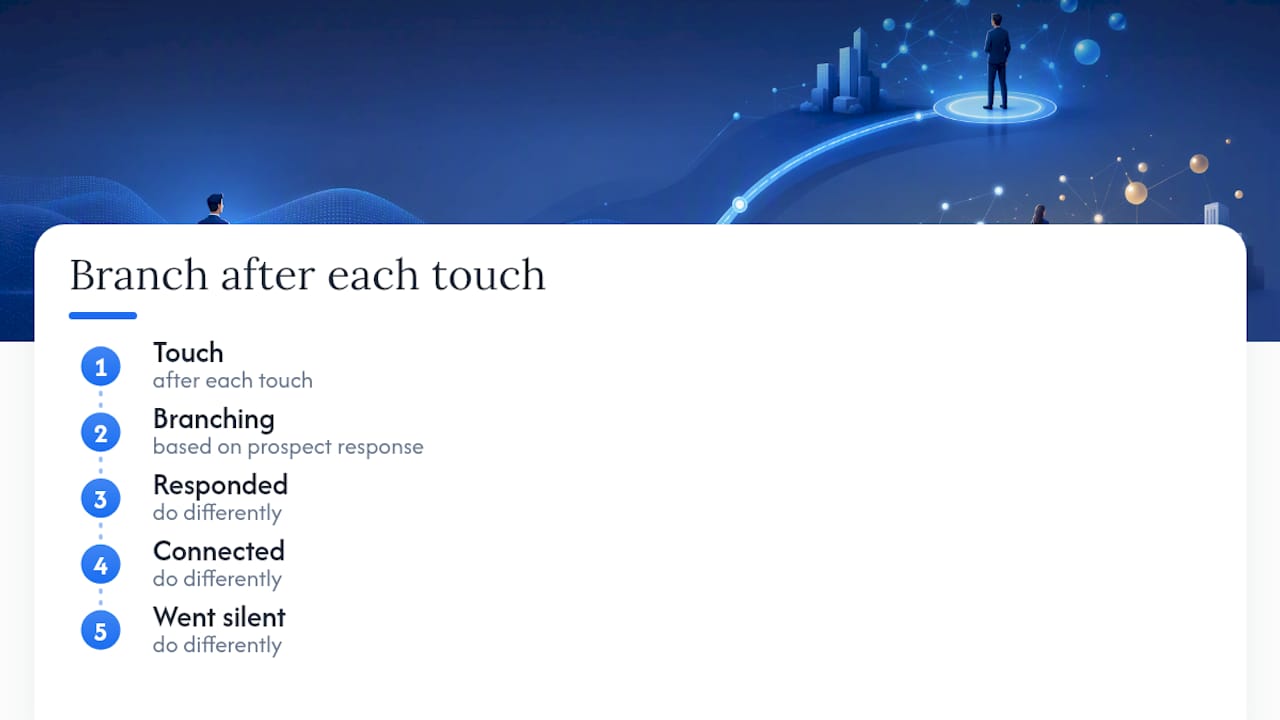
Recommended sample cadence
What to automate and what to keep manual
Automation handles timing and token substitution. It does not handle judgment. Here's the line:
Safe to automate:
- Profile view sequences
- Connection request scheduling
- Tokenized follow-up timing
- CRM task creation on reply
Never automate:
- The actual content of follow-up messages (write each one fresh or review before send)
- Responses to replies (every reply gets a human response)
- Meeting-ask messages for high-value accounts
- Any message that references a specific piece of their content
Pro Tip: When a prospect replies but doesn't book, move them to a "replied" sequence in your CRM immediately. Assign a human owner and set a 48-hour follow-up task. Replied prospects who don't get a fast, personalized response within two days drop off at a disproportionately high rate. Speed matters more at this stage than at any other.
For multi-channel coordination, ABM platforms can orchestrate LinkedIn and email touches in a single workflow, which reduces the manual overhead of managing parallel sequences across channels.
Which tools should you use for LinkedIn outreach?
The right stack is small. Four categories cover everything a well-run outreach program needs.
Core tool categories
- LinkedIn Sales Navigator — sourcing, behavioral-signal filtering, saved searches, and InMail. The non-negotiable foundation for any serious B2B outreach program. Use saved searches to get weekly alerts on new prospects matching your ICP.
- Outreach/sequencing platform — manages cadence timing, branching logic, and multi-channel coordination. Look for CRM-native integrations and template versioning. Sales engagement platforms vary significantly in how well they handle LinkedIn-specific steps, so check that before buying.
- CRM — Salesforce, HubSpot, or Pipedrive for tracking replies, pipeline stage, and account ownership. Every LinkedIn touch should log automatically.
- AI drafting assistant — ChatGPT (OpenAI) for generating personalized opening lines, follow-up variants, and subject line tests.
Using ChatGPT responsibly for outreach
AI drafts the first version. You edit it to sound like you. That's the workflow. Four prompts that produce usable output:
- "Write a 280-character LinkedIn connection note for a VP of Sales at a 200-person SaaS company. Reference their recent post about pipeline forecasting. Tone: peer-to-peer, no pitch."
- "Write three follow-up message variants for a LinkedIn prospect who connected but didn't reply. Each should offer a different value angle. Keep each under 100 words."
- "Rewrite this follow-up message to sound less like a sales template and more like a direct question from a peer: [paste message]."
- "Generate five subject line options for a cold email that follows up on a LinkedIn connection request. The prospect is a Director of Marketing at a B2B fintech company."
Always read the output aloud before sending. If it sounds like a chatbot wrote it, it will read like one too.
Pro Tip: Before rolling out any outreach tool that handles LinkedIn automation, review its data-handling practices against established security frameworks. The Cloud Security Alliance provides controls guidance relevant to user data in automation workflows — a useful reference when evaluating vendor security posture.
Tool-setup checklist before full rollout
- CRM integration tested with a five-contact pilot list
- Template versioning enabled (so you can A/B test without overwriting control)
- Reply detection configured to pause sequences automatically on response
- Unsubscribe/opt-out handling confirmed compliant
- Daily send limits set conservatively (more on this in the compliance section)
For AI sales coaching that integrates with your outreach workflow, look for tools that can score message quality and flag low-personalization sends before they go out.
How do you measure and improve LinkedIn outreach performance?
Measurement without a decision framework is just data collection. Track four primary KPIs, run one A/B test at a time, and review weekly.
Primary KPIs and target ranges
- Connection acceptance rate: 30–50% for warmed accounts; below 20% signals a profile or targeting problem
- Reply rate: 10–20% for well-targeted campaigns, per DealsFlow's B2B benchmarks
- Reply-to-meeting conversion: 25–40% for a well-run follow-up process
- Meetings booked per account per month: 8–15 for optimized campaigns
A/B test checklist
Run one variable at a time. Change two things simultaneously and you learn nothing.
- Connection note vs. no note — test this first; the lift is usually the largest single variable
- Opening line of follow-up 1 — test a question opener vs. a value-statement opener
- Send timing — Tuesday/Wednesday morning vs. Thursday afternoon
- Message length — under 75 words vs. 100–150 words
- Subject line (email step) — personalized vs. generic
Minimum sample size before calling a winner: 50 sends per variant. Anything less and you're reading noise.
Weekly and monthly dashboard layout
Weekly review (15 minutes):
- Acceptance rate this week vs. last week
- Reply rate by sequence step
- Replies that converted to meetings
- Sequences paused due to replies (confirm human follow-up happened)
Monthly review:
- Meetings booked vs. target
- Pipeline sourced from LinkedIn outreach
- Top-performing message variant
- Sequences retired or updated based on performance
Troubleshooting guide
| Symptom | Likely cause | Immediate action |
|---|---|---|
| Low acceptance rate (<20%) | Profile not optimized; targeting too broad | Rewrite headline; tighten ICP filters |
| Low reply rate (<10%) | Messages too generic; wrong signal tier | Add personalization tokens; prioritize warm signals |
| Low reply-to-meeting conversion | Follow-up too slow or too pitchy | Respond within 24 hours; lead with a question |
What LinkedIn limits and compliance rules do you need to know?
LinkedIn actively monitors for behavior that looks automated or spammy. Getting flagged once is recoverable. Getting restricted twice is a problem.
Practical daily limits
- New accounts (under 90 days old): 10–15 connection requests per day maximum
- Warmed accounts (90+ days, active posting history): 20–30 connection requests per day
- InMail: Use for prospects outside your network; keep to 5–10 per day and personalize each one
- Messages to connections: 50–80 per day is generally safe; above that, slow down
These aren't official LinkedIn numbers — they're practitioner-tested thresholds based on what triggers review flags.
The do-not-do list
- Sending the same template to 200 people in a single day
- Using connection notes that are obviously copy-pasted (LinkedIn's algorithm detects patterns)
- Pitching in the connection request itself
- Ignoring opt-out signals (no reply after three touches means stop)
- Running automation that mimics human behavior at inhuman speed (clicking 500 profiles in 10 minutes)
Ethical outreach standards
Respect opt-outs immediately. If someone replies "not interested," remove them from your sequence and do not follow up. If someone asks how you got their information, tell them honestly. These aren't just ethical standards — they're also the behaviors that protect your account from being reported.
Pro Tip: If you're scaling outreach across multiple team members, warm each account independently and monitor acceptance rates per sender. A sudden drop in acceptance rate on one account is an early warning sign before LinkedIn takes action. Instrument this in your CRM so you catch it in the weekly review.
A tested sample campaign from Chad Burmeister
This is a copyable sample campaign structure built on the principles in this playbook. Adapt the messaging to your ICP and voice before sending.
Campaign setup checklist
- Define ICP: industry, title, company size, geography, one behavioral trigger
- Build list in Sales Navigator: 50–100 prospects, tagged by signal tier
- Enrich and deduplicate against CRM
- Optimize profile: headline, About, featured content
- Run warm-up routine: 5 days of profile views and comments before first send
- Load templates into sequencing platform with personalization tokens mapped
- Set up A/B test: connection note variant A vs. variant B
- Configure CRM sync: every touch logs automatically, reply triggers human task
Full sample sequence with timing
Day 1: View profile (automated) Day 2: Connection request with note: "Hi [First Name] — noticed your post on [specific topic]. I work with [ICP role]s on [relevant outcome]. Would love to connect."
Day 5: Value-add follow-up: "Thanks for connecting, [First Name]. Sharing this [resource] on [relevant topic] — thought it might be useful given what you're building at [Company]."
Day 9: New angle: "[First Name] — one thing I keep hearing from [ICP role]s right now: [specific pain point]. Is that something you're navigating too?"
Day 12: Meeting ask: "[First Name] — if [specific outcome] is a priority this quarter, I think 20 minutes would be worth it. Here's my calendar: [link]. No pressure if the timing's off."
Day 14: Email break-glass: Subject: Following up from LinkedIn "[First Name] — reached out on LinkedIn a couple of times. Wanted to try here in case that's a better channel. [One-sentence value prop]. Worth a quick call? [calendar link]"
Branch logic
- Connected, no reply after Day 5: Continue sequence through Day 12
- Replied positively: Exit sequence, assign human owner, respond within 24 hours
- Replied negatively or "not interested": Remove from all sequences immediately
- No connection after 7 days: Move to email-first sequence or deprioritize
Pro Tip: The single biggest lever on reply-to-meeting conversion isn't the meeting-ask message. It's response speed after a prospect replies. Build a CRM rule that creates a high-priority task the moment a LinkedIn reply is detected. Reps who respond within two hours book significantly more meetings than those who respond the next day.
Author notes and lessons learned
The most common mistake is skipping the warm-up phase and going straight to connection requests. Acceptance rates on cold requests without prior engagement typically run 15–20 percentage points lower than on requests sent after a profile view and a comment. That gap compounds across a 100-person list.
The second most common mistake is treating the break-glass message as optional. It's not. A meaningful percentage of meetings come from the final touch, often because the prospect's timing changed between Day 2 and Day 14.
Why most LinkedIn outreach fails (and what actually fixes it)
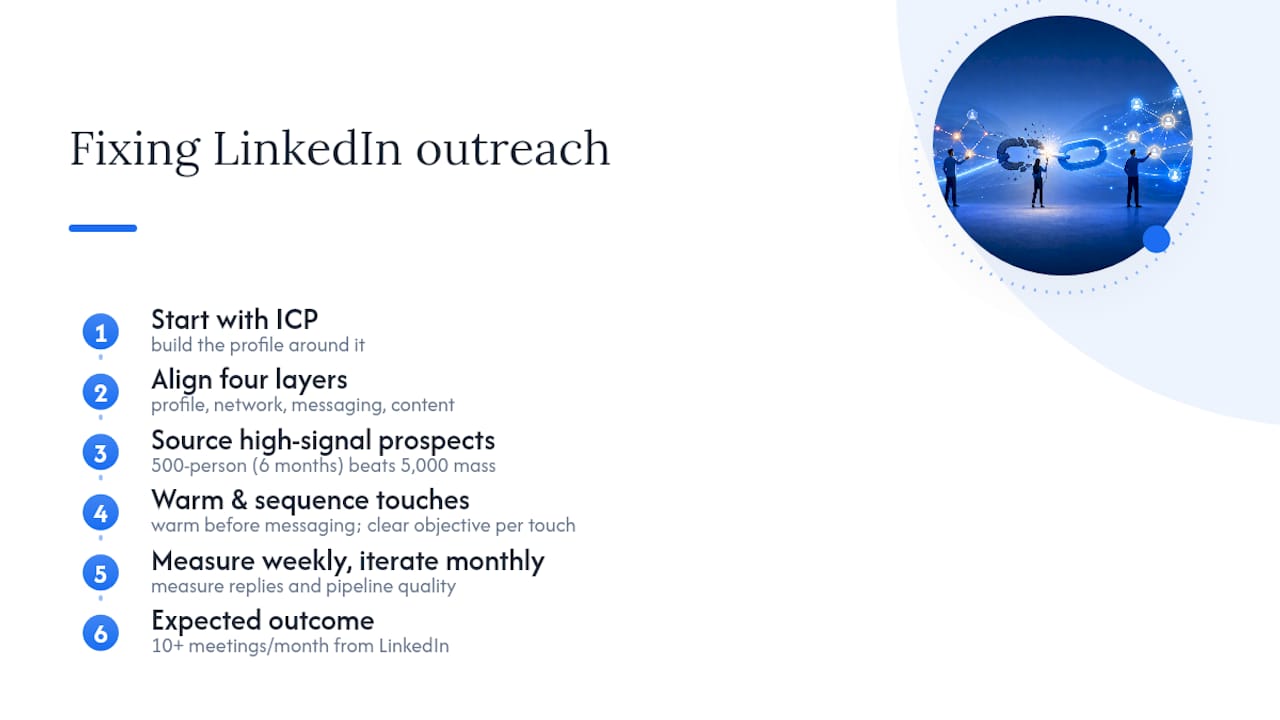
The conventional wisdom says LinkedIn outreach fails because the messages are bad. That's true, but it's downstream of a more fundamental problem: most outreach programs are built on tactics, not systems.
A system means your profile, your network-building routine, your messaging, and your content all reinforce each other. Scott Aaron's four-layer model makes this point clearly: profile, network, messaging, and content are not independent levers. Pull one without the others and you get diminishing returns. Pull all four in alignment and the results compound.
The other thing most practitioners underestimate is the patience required. A 500-person network of highly relevant contacts, built deliberately over six months, will outperform a 5,000-person network assembled through mass connection campaigns. Quality over quantity is not a platitude here — it's a measurable difference in reply rates and pipeline quality.
What actually works: start with the ICP, build the profile around it, source only high-signal prospects, warm them before messaging, and sequence every touch with a clear objective. Measure weekly. Iterate monthly. The reps who do this consistently are the ones booking 10+ meetings a month from LinkedIn alone.
How Chadburmeister helps sales leaders build outreach systems that produce pipeline
Pipeline doesn't build itself, and a playbook only works if someone executes it. Chad Burmeister brings 25+ years of hands-on sales leadership experience scaling SDR and BDR teams at companies like RingCentral, Informatica, and Cisco-WebEx — and has distilled that experience into books, workshops, and direct consulting engagements designed for sales leaders who need results, not theory.
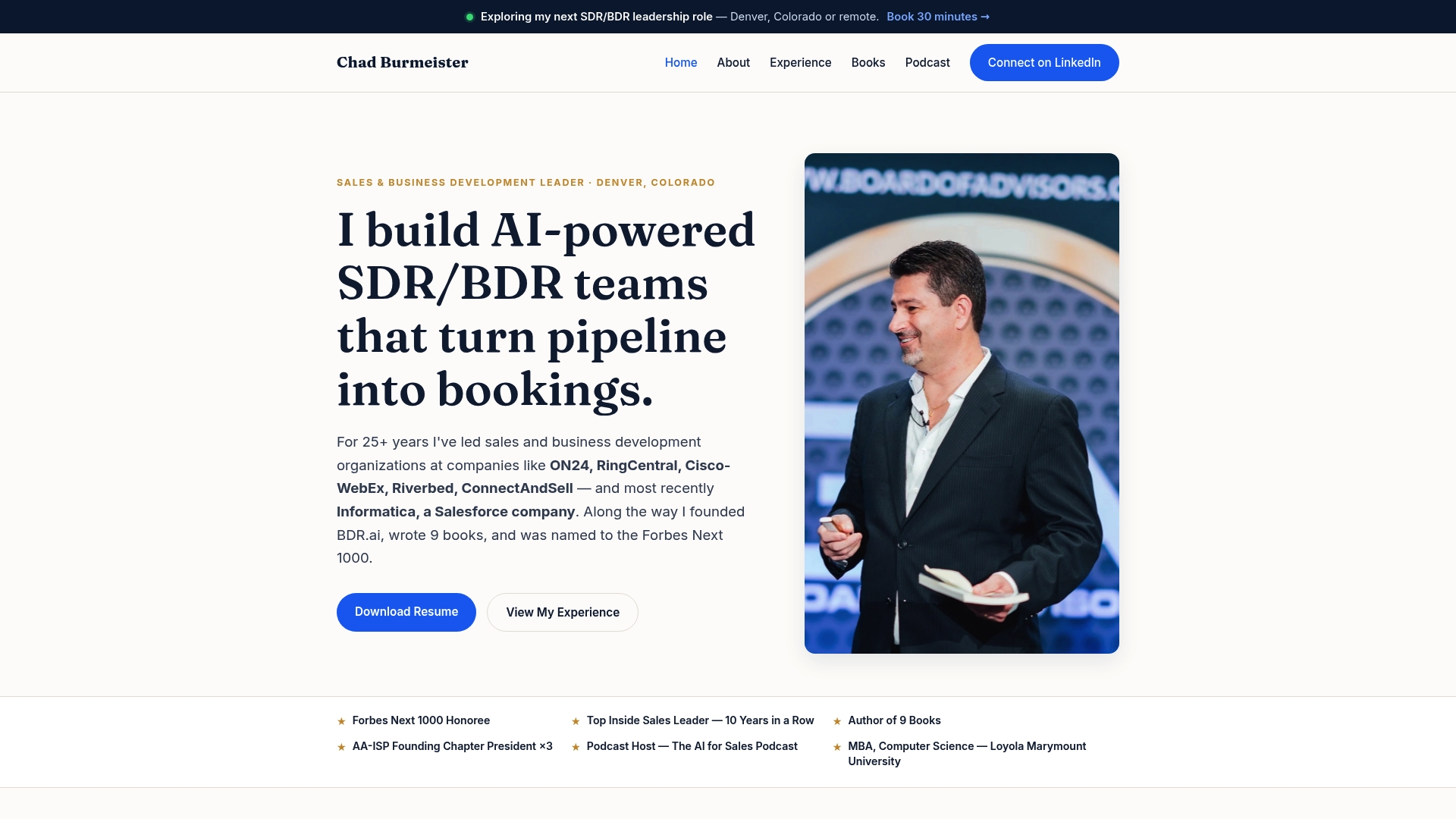
If you're a CEO, CRO, or founder who needs an experienced hand to build or lead an outbound function, Chad's sales leadership and consulting services cover everything from ICP definition and SDR team structure to AI-assisted prospecting workflows and pipeline measurement. His books, including AI for Sales 2.0 and Mastering B2B Lead Generation with LinkedIn & AI, are available through Chadburmeister for teams that want a self-directed deep dive. For organizations that want live instruction, workshop and speaking engagements are available for booking directly through the site.
The next step: visit Chadburmeister to review available services and reach out directly to discuss what your team needs.
Sources
The following sources informed this playbook. Each covers a distinct area of LinkedIn outreach strategy and is worth reading in full for additional depth.
- How to Network on LinkedIn: 10 Proven Strategies (2026) - Expandi - #1 LinkedIn Automation Tool
- LinkedIn Outreach Strategy: The Complete B2B Playbook for 2026 - DealsFlow
- Linkedin Outreach Strategies That Work
- LinkedIn Networking: Build Valuable Connections