
If you want faster replies and less time staring at a blank draft, the shortest path is a purpose-built AI cold email platform paired with a tight ChatGPT prompt workflow. For most teams, Smartlead handles high-volume sending with deliverability controls, Apollo covers prospecting plus outreach in one place, and Lemlist wins when personalization depth matters most. Teams that need CRM-synced cadences should look at Klenty or Reply.io. If none of those fit your budget or complexity, hiring an AI-for-sales consultant to build the workflow for you is a faster path than stitching tools together blind.
Quick picks at a glance:
- Smartlead — best for scaling volume without burning your sender domain
- Apollo — best for teams that want prospect data and outreach under one roof
- Lemlist — best for creative personalization (dynamic images, custom fields)
- Klenty — best for sales teams running CRM-synced cadences
- Reply.io — best for multichannel sequences with reporting depth
- Saleshandy — best for SMBs that need simple sequencing without a steep learning curve
- Instantly — best for fast setup and deliverability-first sending
- Snov.io — best for teams that want list building and outreach in one platform
- Smartreach — best for small teams focused on warm-up and deliverability basics
- Salesforge — best for agencies running multiple differentiated client campaigns
The comparison table below breaks down how these tools stack up across the dimensions that actually matter.
Key Takeaways
The fastest path to better cold-email reply rates combines a purpose-built AI platform with tight, research-backed prompts and a disciplined deliverability setup from day one.
| Point | Details |
|---|---|
| Match tool to use case | Smartlead for volume, Apollo for prospecting + outreach, Lemlist for personalization, Klenty for CRM-synced cadences. |
| Deliverability comes first | Warm up sending domains for 2–4 weeks and configure SPF, DKIM, and DMARC before any cold send. |
| Prompt quality drives output | Supply tight context (name, role, trigger event, single ask) and enforce word limits; generic prompts produce generic emails. |
| Baseline reply rate is ~8.5% | A Pitchbox and Backlinko analysis of 12 million emails sets the benchmark; personalization and prior recognition push it higher. |
| Chadburmeister for complex outbound | For high-stakes accounts or complex value propositions, Chad Burmeister's consulting builds the full playbook in 30–60 days. |
Table of Contents
- How do the top AI cold-email tools compare in 2026?
- What each tool actually does: a practical breakdown
- How do you choose the right AI cold-email tool for your team?
- How to build and scale an AI-assisted cold-email campaign
- Prompt playbook: ChatGPT prompts that produce non-generic cold emails
- How these tools and picks were selected
- When should you rely on an AI tool vs. hire outside help?
- What a hands-on AI-for-sales consultant delivers that a tool alone can't
- Sources
How do the top AI cold-email tools compare in 2026?
A Pitchbox and Backlinko analysis of 12 million outreach emails found an average reply rate near 8.5%. That baseline is the ceiling most teams hit when they rely on templated copy, regardless of which platform they use. The tools above move the needle only when the copy and personalization are right.
Pricing reality check: Entry-level plans across these tools cluster between $29 and $60 per month for a single sender. Apollo's free tier is the most generous for prospecting. Lemlist and Reply.io cost more but deliver meaningfully richer personalization and multichannel features. Smartreach is the lightest on budget for small teams that only need warm-up and basic sequencing.
What each tool actually does: a practical breakdown
Saleshandy
Saleshandy is a clean, no-frills sales engagement platform built for SMBs that want email sequencing without a long onboarding process. Its AI writing assist helps generate and refine email copy, and personalization tokens let you customize at scale. Setup typically takes a few hours. Pricing starts around $36 per month with a free trial available.
Pros: Easy to learn, solid bounce shield, good for teams new to automated outreach. Cons: Lighter on advanced AI features; enrichment is basic. Best for: Small sales teams that need reliable sequencing and tracking without complexity.
Smartlead
Smartlead is built for volume. Its standout feature is inbox rotation combined with a built-in warm-up system, which lets you scale sending without tanking deliverability. AI copy assistance and subject-line variant testing are included. Plans start around $39 per month.
Pros: Excellent deliverability controls, inbox rotation, scales to thousands of emails per day. Cons: Reporting is functional but not deep; enrichment requires third-party tools. Best for: High-volume outbound teams where deliverability is the primary concern.
Lemlist
Lemlist takes personalization further than most. Dynamic image personalization (your prospect's logo or LinkedIn photo dropped into a custom graphic) and liquid-syntax custom fields let you build emails that feel genuinely one-to-one. The Lemwarm warm-up tool is included. Pricing starts around $59 per month.
Pros: Best-in-class personalization options, multichannel sequences, strong community and template library. Cons: More expensive at scale; some features have a learning curve. Best for: Teams running creative, high-touch campaigns where standing out in the inbox matters.
Instantly
Instantly keeps setup friction low. You can connect unlimited sending accounts on paid plans, which makes it attractive for teams that want to spread volume across multiple domains. AI template assistance and A/B testing are built in. Plans start around $37 per month.
Pros: Fast onboarding, unlimited sending accounts on higher tiers, solid warm-up. Cons: Enrichment and CRM integrations are limited compared to Apollo or Klenty. Best for: Teams that want to be sending within a day and prioritize deliverability over deep CRM sync.
Klenty
Klenty's strength is cadence management tied tightly to your CRM. It syncs tasks, updates contact records, and triggers sequences based on CRM events, which removes a lot of manual rep work. AI cadence suggestions help with sequencing logic. Pricing starts around $60 per month.
Pros: Deep CRM integrations (Salesforce, HubSpot, Pipedrive, Zoho), strong cadence automation. Cons: AI copy features are less developed than dedicated writing tools. Best for: Sales teams where CRM hygiene and rep task management are as important as the email itself.
Reply.io
Reply.io covers more ground than most tools here. Its Jason AI agent can handle initial outreach responses autonomously, and the multichannel sequencing (email, LinkedIn, calls) gives reps a coordinated outreach motion. Analytics are among the deepest in this group. Plans start around $60 per month.
Pros: Multichannel, strong analytics, AI agent for response handling, built-in enrichment. Cons: More complex to configure; pricing climbs quickly at scale. Best for: Mid-market teams that want a single platform for multichannel sequences and need reporting depth to optimize over time.
Snov.io
Snov.io bundles lead generation and outreach in one platform. The email finder and enrichment tools let you build a list and launch a sequence without switching tools. An AI email writer assists with copy. There's a free tier, with paid plans from around $39 per month.
Pros: Integrated list building, email verification, solid free tier. Cons: Deliverability controls are less sophisticated than Smartlead or Instantly. Best for: Teams that want to go from zero list to first send without stitching together separate tools. Snov.io's cold email AI guide is also a useful resource for getting started.
Apollo
Apollo combines one of the largest B2B prospect databases with a full outreach platform. You can find a lead, enrich their record, and drop them into a sequence without leaving the app. AI email generation is included. The free tier is genuinely useful; paid plans start around $49 per month.
Pros: Massive prospect database, strong enrichment, CRM integrations, generous free tier. Cons: Email deliverability controls are less specialized than Smartlead; the platform can feel dense. Best for: Teams that spend significant time on prospecting and want data and outreach in one place.
Smartreach
Smartreach is a lightweight option for small teams that need warm-up, spam testing, and basic sequencing without paying for features they won't use. AI assistance is basic. Plans start around $29 per month.
Pros: Affordable, solid warm-up and spam testing, easy to configure. Cons: Limited AI features, thin analytics. Best for: Small teams or solo senders focused on getting deliverability right before scaling.
Salesforge
Salesforge is built for agencies and teams running multiple differentiated campaigns simultaneously. Forge AI generates email copy at the campaign level, and the multi-client workflow controls let you manage separate sending environments cleanly. Plans start around $48 per month.
Pros: Multi-client campaign support, AI generation, clean workflow controls. Cons: Less suited to single-team use cases; enrichment relies on integrations. Best for: Agencies or outbound teams managing several distinct client campaigns at once.
How do you choose the right AI cold-email tool for your team?
The wrong tool wastes more time than it saves. Work through this checklist before you commit to a trial.
Decision checklist
- Sending volume: How many emails per day do you need to send? Under 200 per day, almost any tool works. Over 1,000, you need inbox rotation and warm-up controls (Smartlead, Instantly).
- Sender setup: Do you have dedicated sending domains ready? If not, factor in domain purchase and warm-up time (typically 2–4 weeks) before your first real campaign.
- CRM integration: Does the tool connect natively to your CRM? Klenty and Reply.io have the deepest CRM sync; Apollo covers Salesforce and HubSpot well. Zapier fills gaps but adds latency.
- Enrichment needs: Do you already have a list, or do you need to build one? Apollo and Snov.io include enrichment. Most others assume you bring your own data.
- Personalization depth: Are you sending high-touch emails to a small list, or lighter-touch emails to a large one? Lemlist for the former; Smartlead or Instantly for the latter.
- Security and OAuth: Confirm the tool uses OAuth for Gmail and Outlook connections, not stored passwords. Check whether it has SOC 2 or equivalent compliance documentation if your company requires it.
- Data residency: If your prospects are in the EU, confirm GDPR-compliant data handling. Most US-based tools have a data processing addendum available on request.
Questions to ask in a demo
- How does the platform source personalization data, and can you bring your own?
- What are the daily and monthly sending limits per inbox, and how does throttling work?
- Does the warm-up process use a real network of inboxes or simulated activity?
- What happens to bounced addresses? Does the platform auto-suppress them?
- Is API access included, or is it a paid add-on?
Red flags to watch for
- No documented deliverability approach or warm-up methodology
- Promises of guaranteed reply rates (no tool can guarantee this)
- No integration documentation or sandbox environment for testing
- Case studies with no verifiable company names or contact details
- Pricing that requires a sales call to access basic plan details
Pro Tip: Before signing a contract, run a 2-week trial with a single cold sending domain and 50–100 contacts. Measure open rate, reply rate, and bounce rate. A tool that can't move those numbers in a controlled test won't fix them at scale.
How to build and scale an AI-assisted cold-email campaign
This is the workflow that holds up across tools and team sizes. Follow it in order; skipping steps early creates deliverability and reply-rate problems later.
-
Define your target segment. Name the job title, company size, industry, and trigger event (funding round, new hire, product launch) before you touch any tool. Vague targeting produces vague copy.
-
Build and verify your list. Use Apollo, Snov.io, or a dedicated data provider to pull contacts. Run every address through an email verifier (most platforms include one) before importing. A bounce rate above 3% damages sender reputation fast.
-
Research each account. AI for sales prospecting can replace 20–45 minutes of manual research per account by generating structured company briefings in under 90 seconds. Paste the prospect's LinkedIn summary or a recent press release into ChatGPT and ask for a 3-bullet briefing: company priority, recent trigger, and one relevant pain point.
-
Draft your sequence. Write a 3-touch sequence: initial email, a value-add follow-up, and a short break-up message. Follow-up sequences are often the highest-performing part of a cold campaign; spacing them 2–3 business days apart and varying the angle (value, proof, break-up) recovers replies that the first email missed.
-
Personalize at scale. Use your platform's personalization tokens for the first line. The opener should prove you looked: a specific observation about the company, not a generic compliment. Short emails of roughly 50–125 words with one clear, low-friction ask consistently outperform longer, templated messages.
-
Generate and test subject lines. Ask ChatGPT to produce 5–10 subject-line variants for the same email. A/B test two per campaign. Subject lines under 7 words with a specific hook (a name, a number, a question) tend to outperform generic ones.
-
Warm up your sending domain. If the domain is new or has been idle, run it through your platform's warm-up tool for at least 2 weeks before sending to cold contacts. Start at 20–30 emails per day and ramp gradually.
-
Configure SPF, DKIM, and DMARC. These three DNS records are non-negotiable. Without them, your emails land in spam regardless of copy quality. Most platforms walk you through setup; verify with MXToolbox before launching.
-
Schedule and send. Send during business hours in the prospect's time zone. Throttle to no more than 50–100 emails per inbox per day to stay under provider limits.
-
Measure and iterate. Track open rate, reply rate, bounce rate, and unsubscribe rate per sequence step. A reply rate below 2% on a warmed domain usually signals a copy or targeting problem, not a deliverability one.
Pro Tip: Rotate across 2–3 sending domains for any campaign over 500 contacts per week. If one domain gets flagged, the others keep running while you diagnose and recover.
Prompt playbook: ChatGPT prompts that produce non-generic cold emails
Generic prompts produce generic emails. The fix is tight context and explicit constraints, not a better model.
ChatGPT produces better cold-email outputs when you supply tight context — prospect name, role, company, a trigger event, and a single clear ask. "Write a sales email" is a one-way ticket to a message no one replies to.
Four prompt patterns worth using
1. The specific-observation prompt
Feed the model a real fact about the prospect's company, then constrain the output hard:
2. The trigger-event prompt
Use a recent event (funding, product launch, leadership change) as the hook:
3. The Problem-Agitate-Offer prompt
Useful when you know the prospect's pain point well:
4. The follow-up sequence prompt
A two-pass workflow — extract a hook from real research, then ask the model to draft a constrained email — produces more human-sounding messages than single-shot prompts. Apply the same logic to follow-ups:
Before/after example
Raw research: "Prospect is VP of Sales at a 200-person SaaS company. They posted on LinkedIn last week about struggling to get SDRs to hit quota. Company recently expanded to EMEA."
Prompt used: Specific-observation prompt with the LinkedIn post excerpt, 75-word cap, banned phrases list.
Send-ready output:
That email hits the five components that move reply rates: a specific opener that proves real research, a one-line value outcome, one proof point, and a single yes/no CTA.
Pro Tip: AI will hallucinate specific prospect facts if you ask it to "research" a lead. Always paste the prospect's actual LinkedIn excerpt or a company press release into the prompt — never ask the model to generate the facts itself. Verify every specific claim before sending.
How these tools and picks were selected
The shortlist above reflects an evaluation against criteria that matter to real buyers, not vendor marketing claims.
Selection criteria:
- AI feature depth: Does the platform generate, personalize, and test subject lines natively, or does it just call an external API with no customization?
- Deliverability controls: Built-in warm-up, inbox rotation, bounce suppression, and sending throttle are table stakes for any serious outbound program.
- Integration coverage: Native connections to Gmail, Outlook, and at least one major CRM (Salesforce, HubSpot, Pipedrive). Zapier as a fallback is acceptable but not a substitute.
- Pricing transparency: Plans and pricing publicly listed without requiring a sales call. Free trial or free tier available.
- Customer evidence: Verifiable reviews on G2 or Capterra with enough volume to reflect real usage patterns, not just launch-day ratings.
- Trial availability: Every tool on this list offers a free trial or free tier so you can test before committing.
Scope: These recommendations target individual contributors, small sales teams (1–20 reps), and mid-market outbound programs sending between 50 and 5,000 emails per day. Enterprise deployments with custom compliance requirements, dedicated IP infrastructure, or on-premise data needs fall outside this scope and warrant a separate evaluation. Tools that require a minimum annual contract with no trial were excluded.
When should you rely on an AI tool vs. hire outside help?
Most teams reach for a tool first and call for help only after they've burned a domain or wasted three months on a campaign that never got traction. The honest answer is that the tool decision and the strategy decision are separate, and conflating them is where most teams go wrong.
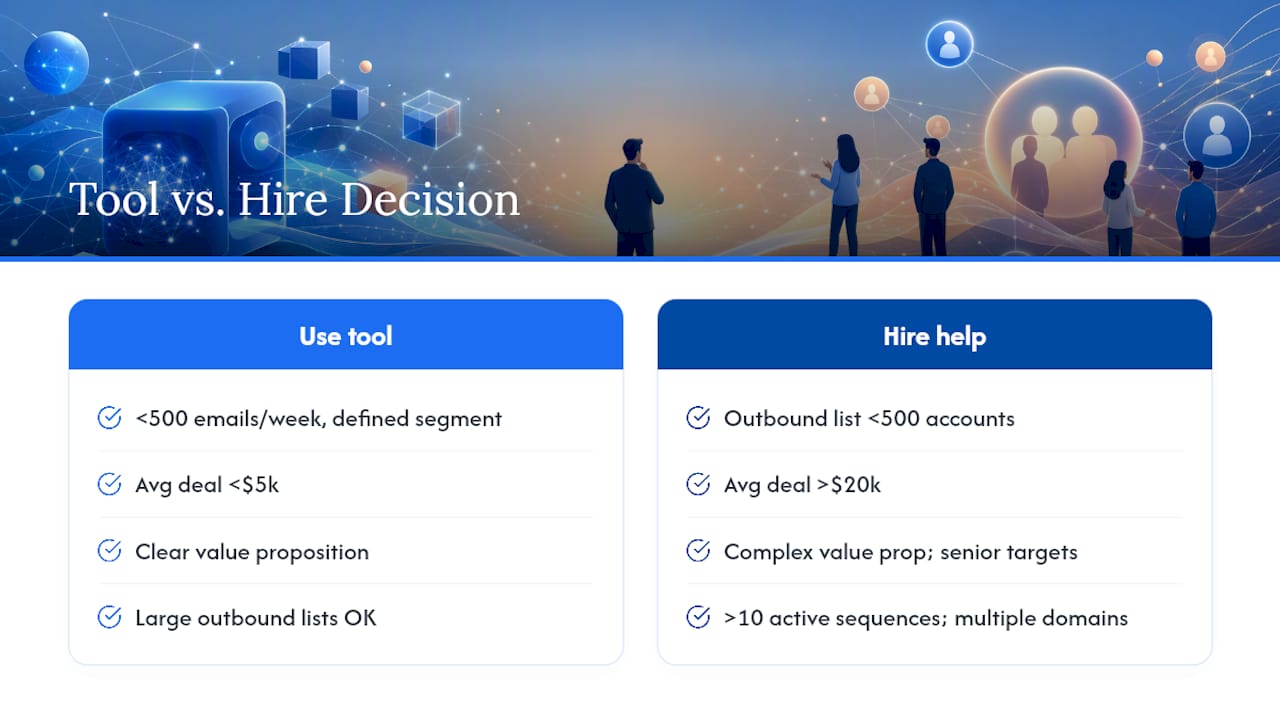
For teams sending under 500 emails per week to a well-defined segment with a clear value proposition, a self-serve platform like Saleshandy, Instantly, or Snov.io is enough. The workflow in this article gives you the structure; the tools handle the mechanics. You don't need a consultant for that.
The calculus shifts when the value proposition is complex, the deal size is large, or the target accounts are senior enough that a poorly written email does lasting damage. A VP of Engineering at a Fortune 500 company who receives a clumsy AI-generated email from your company remembers it. At that level, the cost of a bad send isn't just a missed reply — it's a closed door. That's where AI-powered sales consulting pays for itself quickly.
There's also a scale threshold worth naming. If you're running more than 10 active sequences simultaneously, managing multiple sending domains, and trying to A/B test copy across segments while also coaching reps, the operational overhead of doing it well in-house is real. An AI sales strategy built by someone who has done it at scale compresses months of trial and error into a few weeks.
One-sentence decision rule: if your average deal size is above $20,000 and your outbound list is under 500 accounts, hire help. If your deal size is under $5,000 and your list is large, a tool is the right call.
What a hands-on AI-for-sales consultant delivers that a tool alone can't
Tools automate the mechanics. That gap is where working directly with Chad Burmeister makes a measurable difference.
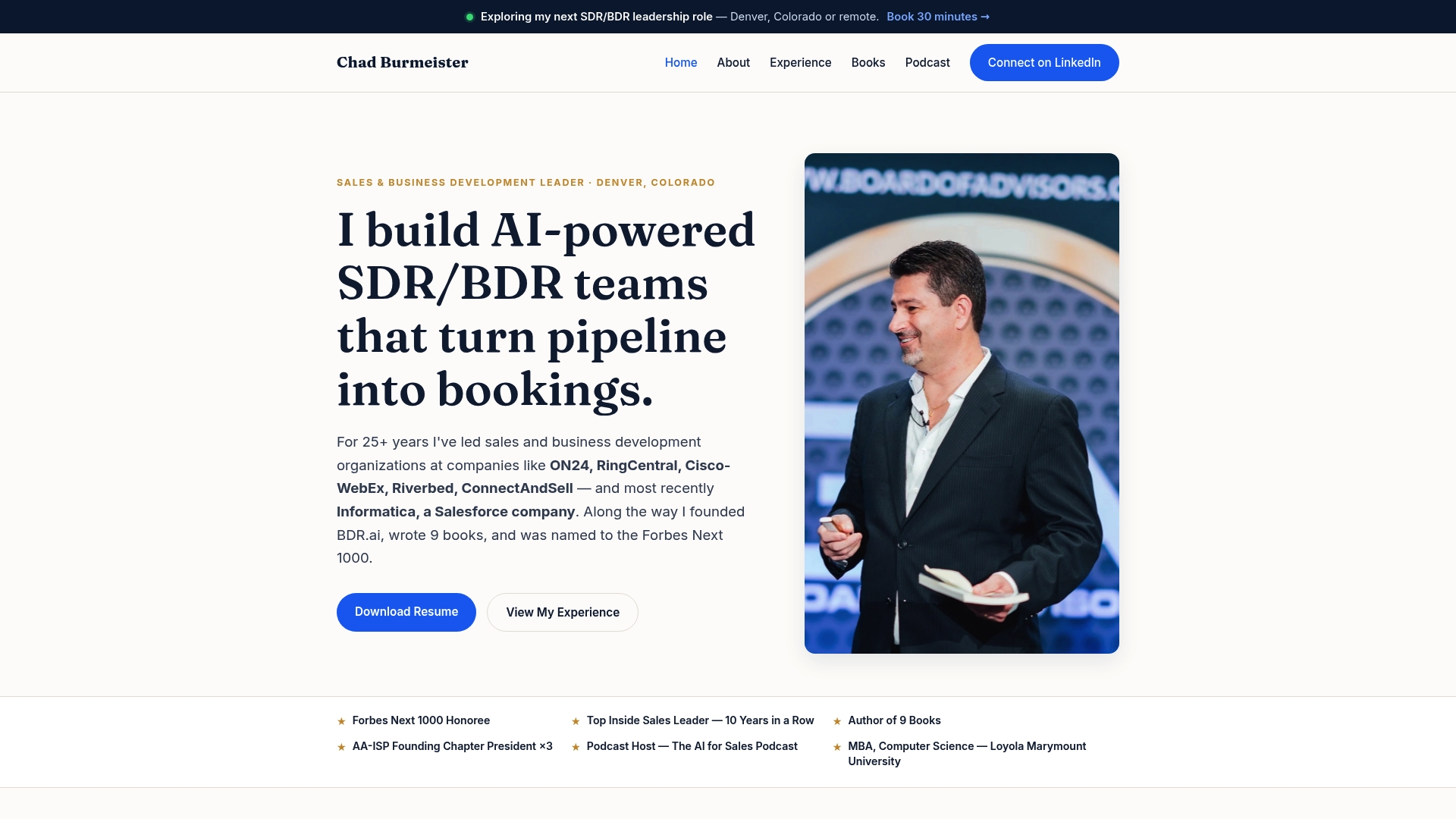
Chad brings 25+ years of scaling high-performance sales and business development teams at companies like Informatica, RingCentral, and Cisco-WebEx. A consulting engagement covers the full outbound playbook: ICP definition, sequence architecture, AI prompt library, domain and deliverability setup, and rep coaching. Most teams have a working, optimized campaign within 30–60 days. For teams that want to go deeper, the AI for Sales books and podcast extend the learning beyond the engagement.
If your team is serious about building an outbound motion that actually produces pipeline, Chadburmeister to discuss what a consulting engagement looks like for your situation.
Sources
- How to use ChatGPT for sales — Zapier
- How to Use ChatGPT for Cold Email Outreach (2026) | PromptShelf
- Connectsafely
- How to Use ChatGPT to Write Cold Outreach Emails That Actually Get Replies | PickGearLab
- ChatGPT prompts for cold email that get replies | LooktoAI