
A mutual action plan (MAP) is a co-owned, dated roadmap that lists every milestone, named owner, and success criterion required to move a B2B deal from verbal agreement to signed contract and go-live. Think of it as a joint execution plan that both sides build together and both sides are accountable for maintaining.
Three reasons sales teams use them:
- Deals close faster. A shared timeline with firm dates removes the ambiguity that lets deals drift into the next quarter.
- Forecasts get more accurate. When a buyer is actively editing the plan, that engagement is a measurable signal of deal momentum, not just rep optimism.
- Late-stage surprises shrink. Dependencies like security review, legal redlines, and procurement sign-off get surfaced weeks earlier, not the day before your target close date.
A MAP earns its time investment on mid-to-late stage deals where multiple stakeholders are involved and the buyer has a real go-live deadline. If you are still in discovery with a single contact, hold off.
Table of Contents
- What exactly is a mutual action plan, and how does it differ from a CRM record?
- Why do sales teams and buyers both benefit from MAPs?
- What are the five core elements every MAP must include?
- How do you co-create a MAP with a buyer in a working session?
- What does a ready-to-use MAP template look like?
- What are the most common MAP mistakes, and how do you fix them?
- How do MAPs work as leading indicators for deal health and CRM hygiene?
- Expert checklist and scripts for your next deal
- Key Takeaways
- Why MAPs are the most underused coaching tool in B2B sales
- Chad Burmeister can help you build and scale your MAP practice
What exactly is a mutual action plan, and how does it differ from a CRM record?
A MAP is a living, shared project timeline focused on the steps required to close and go live. It is not a CRM entry, a proposal, or a statement of work. Each of those documents plays a different role, and conflating them is one of the fastest ways to create confusion on both sides of the deal.
The CRM is your record-keeping layer. It tracks stage, probability, and activity history. The MAP is the execution layer sitting on top of it: the specific tasks, owners, and dates that will actually get the deal done. A proposal describes what you are selling. A statement of work governs delivery after the contract is signed. The MAP covers the gap between "we're interested" and "we're live."
An internal project plan is close in format, but the MAP is buyer-facing and co-owned. The buyer's champion should be able to share it with their CFO or procurement team without the seller needing to be in the room.
When to introduce a MAP. Timing matters more than most reps realize. Practitioners advise waiting until the buyer shows genuine commitment before proposing a MAP, because introducing it too early can feel like a closing pressure tactic. Watch for these signals before you bring one up:
- The buyer has named internal stakeholders (IT, legal, finance) who need to be involved.
- They have asked about implementation timelines or go-live dates.
- Multiple decision-makers have joined calls.
- The buyer has requested a structured path to purchase.
If none of those signals are present, you are probably not ready for a MAP.
Why do sales teams and buyers both benefit from MAPs?
The seller benefits are the ones most reps think about first: fewer slipped deals, cleaner stage gating, and a coaching artifact managers can inspect in pipeline reviews. But the buyer benefits are just as real, and understanding them is what makes a MAP feel collaborative rather than controlling.
For sellers:
- Fewer quarter-end surprises when dependencies (legal, security, procurement) are mapped early.
- A concrete artifact for coaching: managers can see exactly which milestones are stalled and why.
- Better forecast accuracy because MAP engagement replaces gut-feel probability estimates.
- Clear stage-exit criteria tied to buyer actions, not just seller activities.
For buyers:
- A single, shareable artifact their champion can use to communicate timelines and responsibilities to internal stakeholders without repeated rep involvement.
- Lower cognitive load: instead of tracking email threads and verbal commitments, everything lives in one place.
- Visible accountability on both sides, which builds trust in the seller's ability to deliver.
The most important signal in any MAP is whether the buyer is actually editing it. Revenue ops experts at Salesforce note that buyer co-creation and editing signal high deal confidence, while a buyer who never touches the plan often signals a stalled or at-risk deal. That single behavioral indicator is more predictive than most CRM fields.
Dock's MAP research reinforces the buyer-side case: MAPs let champions share timelines and responsibilities internally without needing the rep on every call. That is a real reduction in friction for the buyer's team, and it speeds up internal approvals.

What are the five core elements every MAP must include?
Best practice from resources.rework.com is clear: every MAP needs five non-negotiable elements. Miss any one of them and the plan loses its accountability structure.
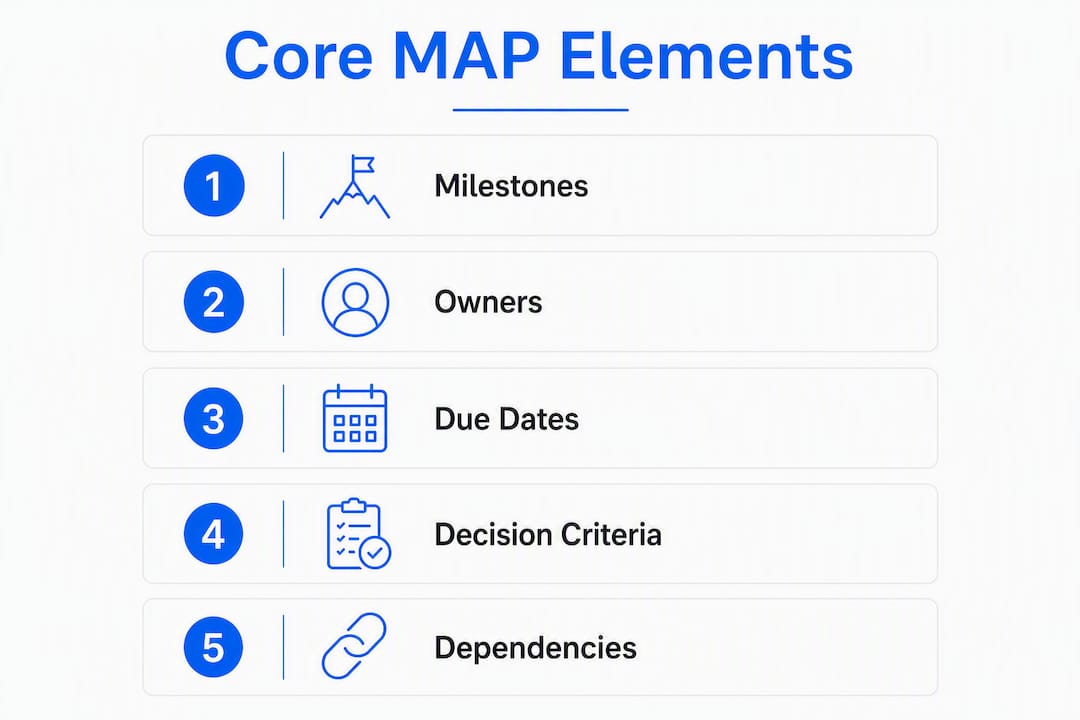
| Element | What it captures | Why it matters |
|---|---|---|
| Business objective | The buyer's stated goal (e.g., "reduce onboarding time by 30% before Q3 board review") | Anchors every milestone to buyer value, not seller process |
| Milestones | Discrete, verifiable steps from current stage to go-live | Creates a shared definition of progress |
| Named owners | Individual first and last names, not job titles | Job titles create ambiguity; names create accountability |
| Firm target dates | Specific calendar dates, not "week of" or "end of month" | Vague timeframes slip; calendar dates do not |
| Success criteria | How both sides will know each milestone is complete | Prevents "done" from meaning different things to each party |
Beyond those five, several optional fields add real value on complex deals:
- Dependencies: Which milestones block others (e.g., security review must complete before legal can start).
- Decision criteria: What the buyer needs to see to approve each stage.
- Economic buyer sign-off: An explicit confirmation field for the person with budget authority.
- Risks and mitigations: Known blockers and the agreed response if they materialize.
The dependency mapping point deserves extra attention. Reverse-engineering from the buyer's required go-live date and then mapping dependencies forward is the only reliable way to find real critical-path dates. If security review takes three weeks and legal needs two weeks after that, those facts need to be visible before you commit to a close date, not after.
Pro Tip: Named owners are non-negotiable. A MAP without individual names attached to milestones is a seller wish list. Get the economic buyer to confirm their name on at least one milestone before you treat the plan as real.
How do you co-create a MAP with a buyer in a working session?
The goal of the working session is to build a plan the buyer feels ownership over, not one they received from you. That distinction changes everything about how you run the conversation.
Running a 20–30 minute MAP working session
- Open with the buyer's goal, not your process. Start with: "Before we map out any steps, can you tell me what success looks like on your end, and when you need to be live?" Their answer becomes the business objective and the anchor date.
- Let the buyer name milestones first. Ask: "What steps does your team need to complete internally before you can sign and start?" Write down everything they say before adding anything from your side.
- Add seller-side milestones. Once the buyer's list is on the page, layer in your required steps: demo, security questionnaire, legal review, contract execution. Frame them as responses to their milestones, not additions to your checklist.
- Name owners for every row. For each milestone, ask: "Who specifically on your team owns this?" Push past "IT" or "legal" to get a first and last name.
- Set dates by working backward. Start from the go-live date and assign calendar dates to each milestone. If the math does not work, surface that now: "If legal typically takes two weeks and we need to be live by March 14, we need to start legal review by February 28 at the latest."
- Get explicit confirmation from the economic buyer. Before closing the session: "Can we get [economic buyer's name] to confirm their milestone and date so the plan is complete on both sides?"
Phrasing that invites co-creation without pressure
Avoid language that makes the MAP sound like a closing tool. Instead of "I need you to commit to these dates," try "What would need to be true on your end for this date to work?" The difference is subtle but the buyer's reaction is not.
If the buyer refuses to name owners or set dates, treat that as a qualification signal. A buyer who will not co-own the plan is telling you something important about their internal commitment to the deal.
When to skip the MAP entirely: single-contact deals with a short cycle (under two weeks), transactional purchases with no implementation, or deals where the buyer has not yet confirmed budget and authority. Introducing a MAP in those situations adds friction without adding value.
What does a ready-to-use MAP template look like?
Use this table as your starting template. Copy it into a Google Sheet, Notion page, or your CRM's custom fields, then fill it in during the working session.
| Milestone | Owner | Owner type | Due date | Decision criteria | Dependencies | Status |
|---|---|---|---|---|---|---|
| Confirm business objective | Sarah Chen (Buyer) | Buyer | Feb 3 | Written goal statement approved by CFO | None | Complete |
| Security questionnaire | James Park (Seller) | Seller | Feb 10 | Buyer IT team signs off | None | In progress |
| IT review | David Liu (Buyer) | Buyer | Feb | Written approval from IT director | Security questionnaire complete | Not started |
| Legal redline | Maria Torres (Buyer) | Buyer | Feb 24 | Final MSA version agreed | IT review complete | Not started |
| Contract execution | Both | Both | Feb 28 | Signed contract received | Legal redline complete | Not started |
| Go-live | Implementation team | Seller | Mar 14 | Buyer confirms system access and training complete | Contract execution | Not started |
Two short filled examples
Fast-cycle deal (30–60 day, SMB SaaS): Keep it to 5–6 milestones. Milestones: discovery complete, security review waived (SMB), legal uses standard MSA, contract signed, onboarding call scheduled. Dates are tight and the buyer's champion is also the economic buyer, so sign-off is fast.

Mid-market SaaS deal (60–90 day): Add a procurement milestone between legal and signature. Dependencies matter here: procurement cannot start until legal finishes, and implementation planning cannot start until contract execution is complete. Surfacing those dependencies early prevents the common scenario where a rep thinks they are two weeks from close and procurement adds a month.
MAP length should match deal complexity: 5–8 milestones for simpler deals, more detail for enterprise, but never so long that the buyer stops maintaining it.
Where to host the plan: Build it in a collaborative doc (Google Sheets, Notion, or a dedicated deal room tool) where the buyer can edit without logging into your CRM. Then render the key milestone dates and status onto the CRM opportunity record so your revenue team can inspect it without leaving their workflow. Practitioners recommend this two-layer approach to balance buyer editing ease with internal visibility.
What are the most common MAP mistakes, and how do you fix them?
Most MAP failures trace back to four predictable patterns, and guides consistently identify the same corrective moves.
Dos:
- Start from the buyer's go-live goal, not your quarter-end close date.
- Pin dates to buyer events (board meetings, fiscal year starts, contract renewals).
- Name individuals, not departments.
- Keep the plan short enough that the buyer will actually maintain it.
- Standardize the template across your team but tailor the content for each buyer.
Don'ts:
- Do not introduce a MAP before the buyer has shown real commitment.
- Do not load the plan with seller-only milestones (demo prep, internal approvals, QBR scheduling).
- Do not use your quarter-end date as the anchor; use the buyer's go-live date.
- Do not bury the plan in a folder the buyer cannot find.
Red flags the MAP is failing:
- The buyer has not edited or commented on the plan in two or more weeks.
- Milestones have no named owners, only department labels.
- Dates have slipped more than once with no explanation.
- The economic buyer's name does not appear anywhere in the plan.
Remediation steps: If the buyer stops engaging, do not just send a follow-up email. Re-qualify the deal by asking the champion directly: "Has anything changed internally that would affect your timeline?" If the champion has lost sponsorship, escalate: try to get a direct conversation with the economic buyer. If you cannot get that meeting, the deal may need to move to a lower forecast category until engagement resumes.
Pro Tip: Set a standing rule: if a MAP milestone slips twice without a documented reason, the deal automatically moves from "commit" to "best case" in your forecast. That one rule forces the conversation before the quarter ends.
How do MAPs work as leading indicators for deal health and CRM hygiene?
A MAP is not just a planning tool. It is a behavioral data source. The signals it generates are more predictive than most CRM stage fields, because they reflect what the buyer is actually doing, not what the rep believes is happening.
| MAP signal | What it implies | Forecast action |
|---|---|---|
| Buyer edited the plan this week | High engagement, deal moving | Maintain or increase probability |
| No buyer edits in 10+ days | Possible stall or lost sponsorship | Move to "best case," re-qualify |
| Named owners confirmed by economic buyer | Strong internal alignment | Increase confidence in close date |
| Milestone slipped once, rescheduled | Normal deal friction | Monitor; no immediate action |
| Milestone slipped twice with no update | Deal at risk | Escalate to champion or economic buyer |
| Dependencies not yet mapped | Forecast date is unreliable | Surface dependencies before next pipeline review |
For CRM integration, the canonical MAP lives in the collaborative doc, but the key fields (next milestone, owner, due date, status) should sync or be manually entered onto the CRM opportunity record. This lets managers inspect MAP health during pipeline reviews without switching tools. Pairing MAP data with AI sales forecasting models gives revenue ops a much cleaner signal than stage-based probability alone.
During deal reviews, managers should ask three MAP-specific questions: Who is the named owner on the next milestone? When did the buyer last edit the plan? Are there any unresolved dependencies blocking the critical path? Those three questions surface more deal risk in five minutes than a full CRM audit.
How long does it take to build and maintain a MAP?
The initial working session runs 20–30 minutes when both sides are prepared. After that, maintenance is light: 5–15 minutes per touchpoint to update statuses, adjust dates, and add new milestones as they emerge.
Who spends what time:
- Account executive: Owns the working session, updates the plan after each call, and surfaces MAP status in pipeline reviews.
- Champion (buyer side): Confirms owner names, edits milestones, and shares the plan internally. Expect 10–15 minutes per week on active deals.
- Deal desk or legal: Adds their milestones and dates when their stage begins; minimal ongoing involvement.
- Implementation or customer success: Joins the MAP when post-signature milestones are being set, typically in the final two weeks before close.
Adoption tips that reduce friction: use a standardized one-page template your team can copy in under two minutes, render MAP fields directly on the CRM opportunity card so managers see status without asking, and require only one-line status updates per milestone rather than full narrative notes. For teams operationalizing MAPs across SDR/BDR and AE motions, sales development consulting can help build the playbook and accountability structure.
Expert checklist and scripts for your next deal
This checklist distills the operational rules into a quick pre-call reference.
Before the working session:
- Confirm the buyer has named at least two internal stakeholders.
- Know the buyer's required go-live or decision date before the call.
- Have the template open and ready to fill in real time.
During the session:
- Start with the buyer's goal, not your milestones.
- Get individual names on every milestone row.
- Work backward from go-live to set dates.
- Confirm economic buyer sign-off on at least one milestone.
- Map at least one dependency before ending the session.
After the session:
- Share the plan within 24 hours in a format the buyer can edit.
- Set a standing check-in cadence (weekly for active deals).
- Flag any milestone without a named owner before the next pipeline review.
Script to request a MAP working session:
"I want to make sure we're set up for a smooth process on your end. Can we spend 20 minutes mapping out the key steps and owners on your side? That way you'll have something concrete to share with your team, and we can catch any timing issues early."
Script to re-engage a stalled MAP:
"I noticed we haven't updated the plan in a couple of weeks. Has anything shifted internally that we should account for? I want to make sure the timeline still works for your team."
What to cut when the plan is getting too long: Remove any milestone that is purely internal to the seller's team (internal approvals, rep prep work, QBR scheduling). Keep only milestones that require buyer action or buyer awareness. If a milestone does not affect the buyer's timeline or decision, it belongs in your internal CRM notes, not the shared plan.
Pro Tip: When a buyer asks "what do we do next?" during a call, that is your cue to introduce the MAP. That question signals they are ready for a structured path and will co-own the plan rather than receive it.
Key Takeaways
A MAP only works when the buyer co-owns it; a plan the seller builds alone is a wish list, not a commitment.
| Point | Details |
|---|---|
| Co-creation is the signal | Buyer editing frequency predicts deal momentum more reliably than CRM stage or rep-assigned probability. |
| Five elements are non-negotiable | Every MAP needs a business objective, milestones, named individual owners, firm calendar dates, and success criteria. |
| Reverse-engineer from go-live | Build dates backward from the buyer's required go-live to surface real critical-path dependencies before they become surprises. |
| MAP length matches deal size | Keep simple deals to 5–8 milestones; scale detail for enterprise, but never let the plan grow so long the buyer stops maintaining it. |
| Chadburmeister's approach | Chad Burmeister's consulting and workshops help sales teams build and operationalize MAP frameworks across SDR/BDR and AE motions. |
Why MAPs are the most underused coaching tool in B2B sales
The conventional wisdom treats a MAP as a deal-closing mechanism. That framing is too narrow, and it is part of why so many teams adopt MAPs once and then quietly abandon them.
The more useful frame is this: a MAP is a coaching artifact. When a manager sits down with a rep in a pipeline review, the MAP tells them things the CRM never will. Is the buyer actually engaged? Are there real names on the milestones, or just department labels? Has the economic buyer confirmed anything in writing? Those answers reveal deal quality in a way that stage and probability fields simply cannot.
The teams that get the most out of MAPs are the ones that make them a management expectation, not just a rep best practice. When a manager asks "show me the MAP" in every deal review above a certain deal size, the behavior becomes self-reinforcing. Reps build better plans because they know they will be inspected. Buyers engage more because the plan is clearly a working document, not a formality.
There is also a buyer-experience angle that gets overlooked. A well-run MAP session signals to the buyer that the seller has done this before and knows how to manage a complex process. That competence signal matters, especially in deals where the buyer is evaluating multiple vendors. The rep who shows up with a structured joint plan is not just organized; they are demonstrating what it will feel like to work with that company post-sale.
The one thing to avoid: turning the MAP into a bureaucratic checklist that the rep maintains and the buyer ignores. If the buyer is not editing the plan, the plan is not mutual. That is the whole point.
Chad Burmeister can help you build and scale your MAP practice
If your team is running deals without a consistent MAP framework, you are leaving forecast accuracy and deal velocity on the table. Chad Burmeister works directly with sales leaders, CROs, and founders to build the playbooks, templates, and coaching structures that make MAPs stick across an entire revenue team, not just the top performers.
With 25+ years scaling high-performance sales teams at companies like RingCentral, Informatica, and Cisco-WebEx, Chad brings a practitioner's perspective to MAP adoption: what works in the field, what gets ignored, and how to build manager accountability into the process so the behavior compounds over time. Whether you need a one-day workshop, an embedded consulting engagement, or a ready-to-use template set, the work is grounded in real deal experience, not theory.
Ready to put a MAP framework in place before your next pipeline review? Start the conversation at chadburmeister.com and get a plan that fits your team's motion.
Further reading and authoritative sources
- Mutual Action Plan: How to Build and Run One — rework.com's core guide covering the five mandatory elements, named-owner rules, and reverse-engineering from go-live. The most operationally detailed free resource available.
- Mutual Action Plans: A 6-Step Sales Process Guide — rework.com's process-focused companion piece, with strong guidance on timing, qualification signals, and common failure modes.
- A Guide to Using a Mutual Action Plan — Salesforce's take on MAPs as a buyer-engagement and forecast tool, with emphasis on co-creation as a deal-health signal.
- Mutual Action Plans 101: Tips, Tools, and Templates — Dock's buyer-experience framing, useful for understanding why MAPs reduce champion friction and speed up internal approvals.